

DWG and PDF can both be working formats for site review on iPad. The better choice depends on the plan you received and the context you need to preserve. Use the native DWG when layouts, layers, blocks, and drawing coordinates matter. Use the issued multipage PDF when that is the controlled plan set, then calibrate its scale before measuring and use vector snapping when the page contains supported paths.
That is the real decision behind DWG vs PDF site review. A PDF is not automatically a weak workaround, and a DWG is not automatically the better field artifact. Each carries different review context. PlanInspect now supports a complete review workflow for both without pretending that their capabilities are identical.
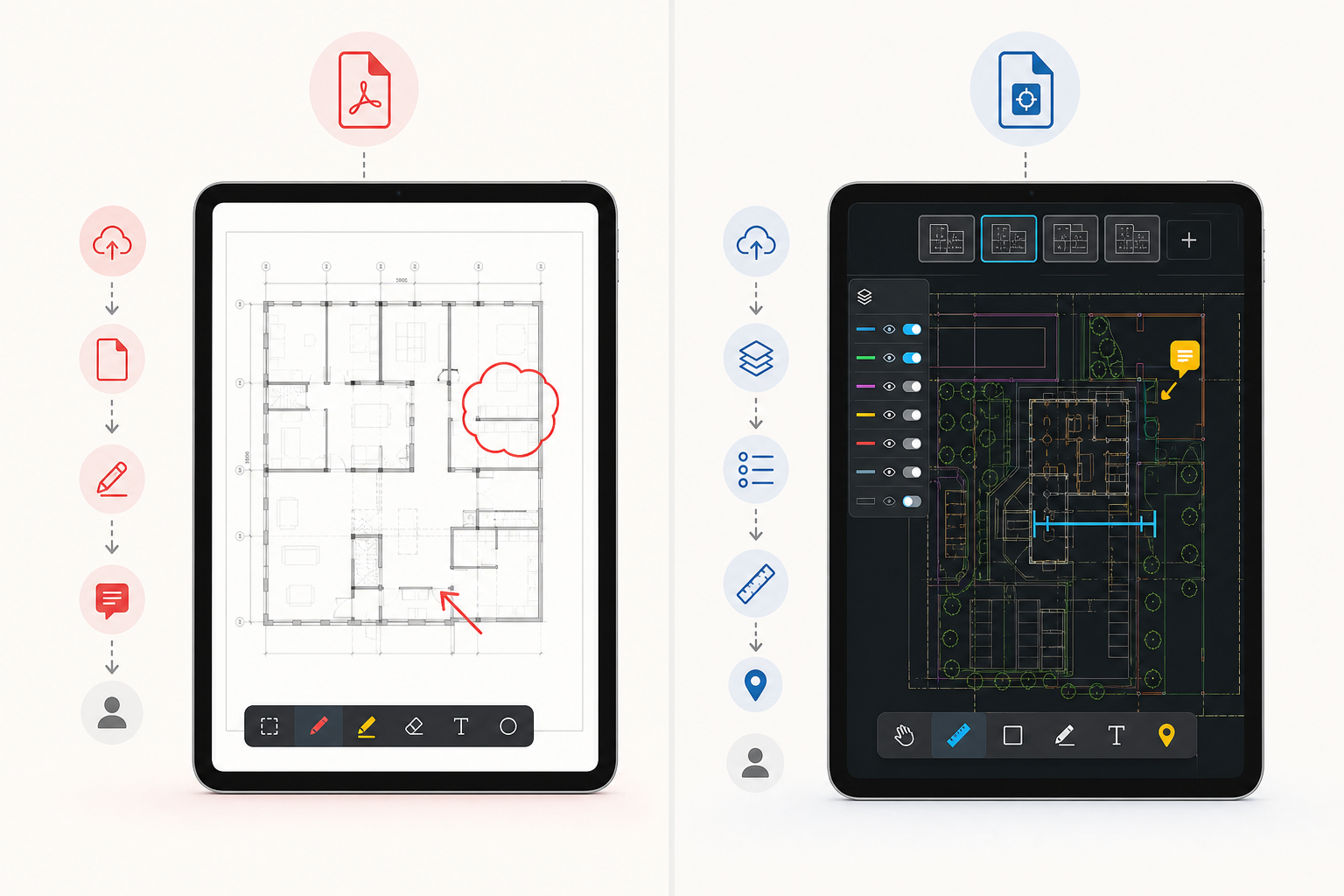
The short answer: when PDF is enough and when DWG matters
| If the job is... | Use the PDF plan | Use the original DWG |
|---|---|---|
| Read one issued sheet on site | Yes | Only if you expect to inspect the underlying drawing context |
| Share a static snapshot with someone who does not need the source drawing | Yes | No |
| Confirm the right layout or paper-space sheet | Only if the issued page already contains it | Yes |
| Hide native CAD layers | No OCG layer control currently | Yes, for supported DWG layers |
| Measure a dimension or area | Yes, after calibration | Yes, from drawing coordinates and units |
| Snap measurement points | Yes, on supported vector paths | Yes, on supported CAD geometry |
| Pin notes and markups to the plan | Yes | Yes |
| Review a controlled multipage issue set | Yes | Only if each sheet is present in the DWG layouts |
The distinction is practical, not ideological. Choose the PDF when the issued page set is the contractual or operational reference. Choose the DWG when the structured CAD source is what lets you verify the plan correctly.
If the first blocker is simply getting the drawing onto the device, start with how to open DWG files on iPad without converting them. This article begins after the file is already in the workflow and you need to decide whether PDF is enough.
Why PDF is often the operational plan set
PDF wins on portability, but it can also be the controlled issue set that the field team is expected to review. A multipage PDF keeps the published sheets together and may be the most reliable reference when not everyone should receive the editable CAD source.
Choose the PDF workflow when the plan is being:
- reviewed as the issued page set
- calibrated from a known dimension or effective print scale
- measured and annotated without needing native CAD layers
- shared with people who do not need the source drawing
The limitation is format-specific, not a reason to treat PDF as passive. Before measuring, confirm that the page scale is valid. Before expecting snapping, confirm that the page contains vector paths rather than only a scan.
On site, the useful questions are usually things like:
- "Are we on the right layout, or are we looking at the wrong sheet?"
- "Is this geometry missing, or is it just hidden inside a different layer state?"
- "Has this page been calibrated from a known dimension or effective print scale?"
- "If I mark this issue here, will the next person understand the exact plan context?"
A PDF can carry the complete field-review surface in PlanInspect — pages, measurements, notes, markups, and exports — but it does not expose native DWG layouts or layers. That deeper CAD structure remains a reason to choose the DWG when it matters.
Apple's Files basics for iPad and file-open guidance for iPhone and iPad matter here because real review flows usually start in Files, Mail, AirDrop, or iCloud Drive. Once the drawing is local, the real question becomes whether you keep reviewing the DWG or collapse it into a PDF too early.
What the DWG preserves beyond the PDF page
Autodesk's current drawing file format compatibility reference is a good reminder that DWG files carry structured drawing information, and that version context still matters. Autodesk's broader viewer overview also validates that viewing, measuring, markup, and review belong to the CAD-file workflow, not only to exported outputs.
That matters on iPad because the original DWG preserves four things that often decide whether a site review is trustworthy.
1. Layout context
When a drawing looks empty, cropped, or wrong, the file is not always broken. Sometimes the wrong layout is active. That is why how to switch layouts and paper space on a DWG from iPad exists as a separate workflow. The right sheet context is often the difference between a useful field decision and a false alarm.
2. Layer control
Site reviews often fail because the drawing is too noisy, not because the file is unreadable. The official AutoCAD App Store listing and DWG FastView's official site both validate that mobile DWG viewing is expected to include layer-aware workflows. DWG FastView's own mobile layer guide makes that point explicitly.
If the job is to hide nonessential systems, isolate one discipline, or reduce visual clutter before measuring or annotating, the PDF version is already one step behind. The closer workflow is reviewing DWG layers on iPad during a site visit.
3. Drawing-coordinate measurement
DWG measurements can use the drawing coordinates and units after you confirm the right layout and geometry. PDF measurements follow a different trust path: establish the page scale first, then measure, with vector snapping when supported paths are present.
If that is the task in front of you, how to measure distances on a DWG file from iPad is the better next step than exporting to PDF first.
4. Native CAD context around notes and handoff
Both formats can carry PlanInspect notes and markups during a review. The DWG adds native layout and layer context; the PDF adds page-set continuity and calibrated page scale. Choose the source the team is actually expected to verify.
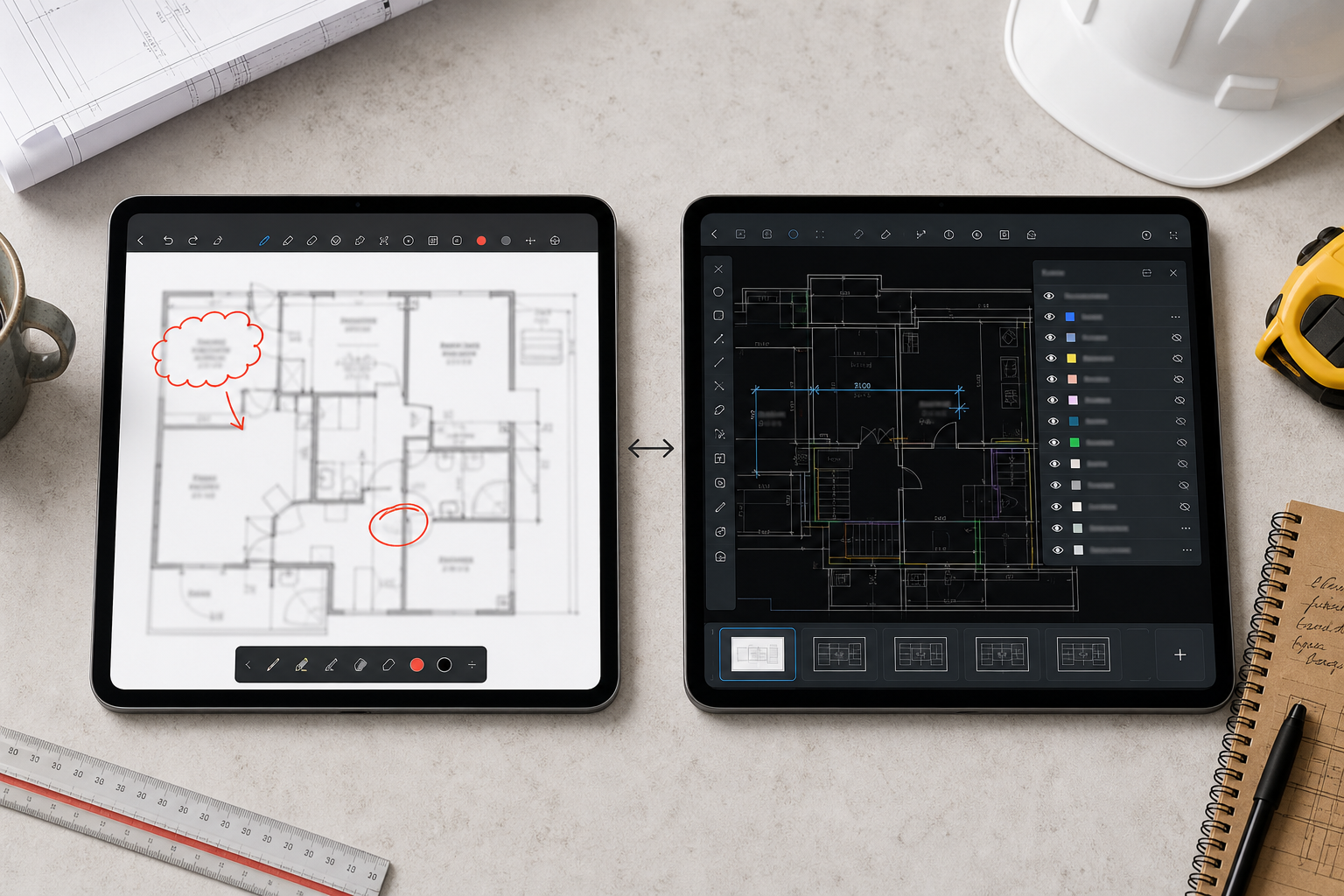
A practical rule for site review: work from the authoritative plan
For many teams, the best answer is not choosing one format forever. It is identifying which artifact is authoritative for the current decision.
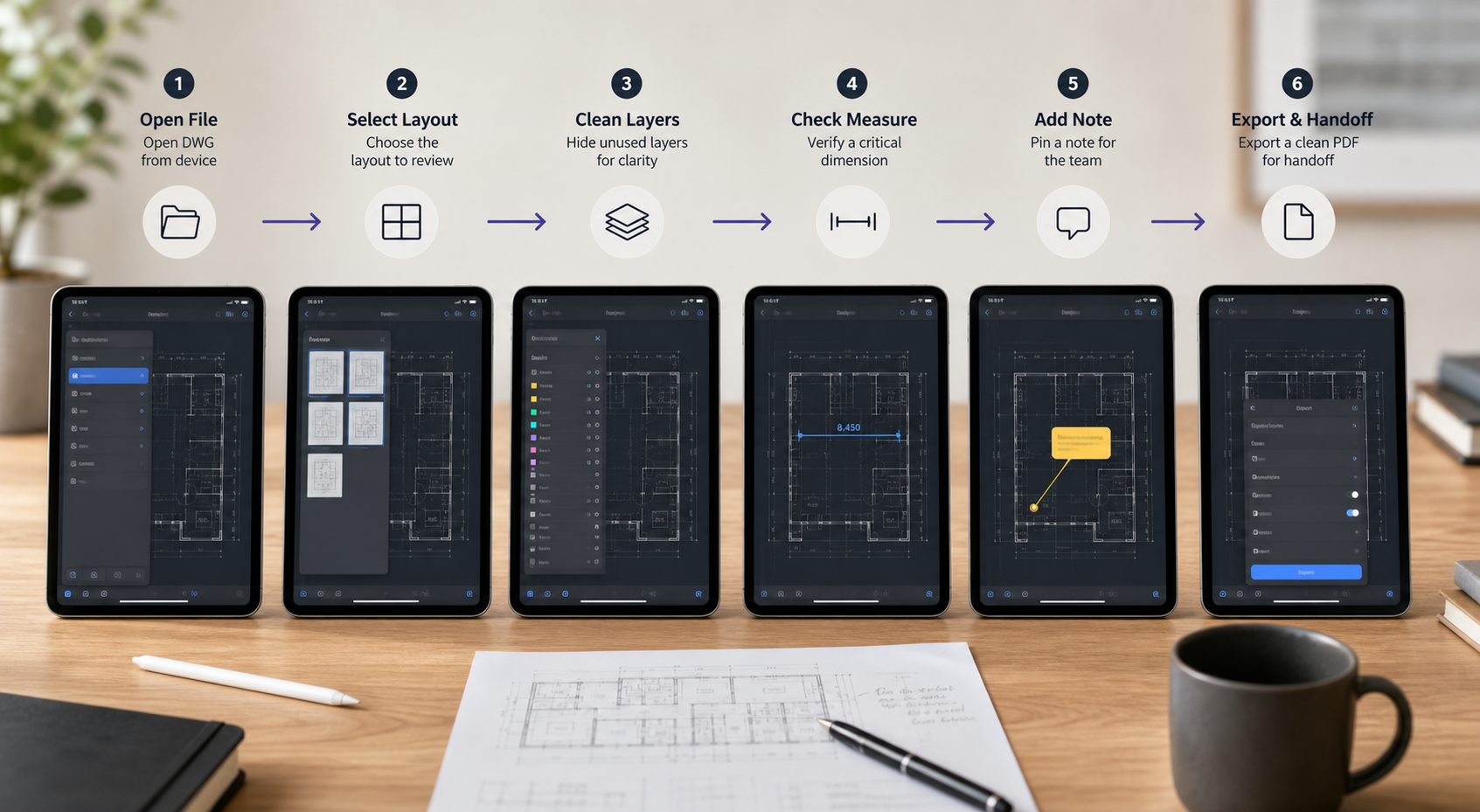
Use this sequence:
- Open the DWG or multipage PDF from Files, Mail, AirDrop, or another local document source.
- For DWG, confirm the right layout, units, and visible layers. For PDF, confirm the right page and calibrate its scale.
- Verify the condition, note, or measurement that matters, using supported snapping where available.
- Finish the markup or observation in the plan context.
- Export a PDF, image, or report when the review is ready to share.
That keeps each format where it adds value and avoids forcing every project into a DWG-first or PDF-only rule.
This is also why broad construction plan viewer pages can be misleading. What to look for in a construction plan viewer on iPad is really a category-decision article, while this piece is narrower: when the original drawing should remain live during the review itself.
When PDF is the better active-review choice
A fair comparison should say this plainly: PDF is often the better working format when the issued page set is the reference the site team must follow.
Choose PDF first when:
- the controlled issue arrives as a multipage PDF
- the team needs to move through a published set page by page
- measurements can be based on a calibrated page scale
- native DWG layouts and layer control are not required for the decision
In other words, PDF is both an input and an output format. Its working context differs from DWG, but it is no longer limited to passive reading in PlanInspect.
The iPad workflow where DWG is the right source
The original DWG matters most when the field reviewer still needs to think with the drawing, not just read it.
Common examples:
- a superintendent checking whether the team is discussing the correct sheet before a walkthrough
- an architect isolating one layer group to inspect a coordination issue
- an inspector confirming one dimension before capturing an observation
- a project lead adding a note in the exact plan location before exporting a handoff
That is the workflow described across the current PlanInspect cluster:
- A complete iPad DWG review workflow for construction teams for the full end-to-end sequence
- A DWG site walkthrough workflow for iPad teams for the field path
- How to export DWG markups and site notes as a PDF from iPad for the moment where PDF becomes the right output
What this looks like in PlanInspect
PlanInspect is designed for teams that need an active plan on iPad without a full drafting workstation. The same review surface now accepts native DWG drawings and multipage PDF plan sets.
In that workflow, you can:
- open a DWG or PDF locally from Files, Mail, iCloud Drive, AirDrop, or the iOS share sheet
- keep DWG layout and layer context or PDF page-set context available during the review
- calibrate PDF pages before measuring and use vector snapping on supported paths
- measure distances and areas on the plan you are actually reviewing
- attach notes, photos, and markups without editing the source file
- export the finished handoff as a PDF, image, or report
That makes PlanInspect a strong fit when the team sounds like this:
- "We are still verifying the drawing, not just forwarding it."
- "We need the right layout before we trust the sheet."
- "We need to simplify layers before the condition is obvious."
- "The issued PDF is the site reference, so we need to measure and annotate it directly."
What to share after the review
The strongest handoff is often not "send the source file to everyone." It is "finish the review on the authoritative plan, then send the clearest output for the next person."
That output might be:
- a PDF of the reviewed sheet
- a focused image of the current view
- a notes report with the exact observation context
PDF can therefore be either the reviewed input, the exported output, or both. What matters is that scale and plan context were verified before the handoff.

Choose based on the job, not the file extension
For iPad site review, choose the PDF when the issued page set and calibrated sheet scale are the right context. Choose the DWG when layouts, layers, drawing units, and native CAD geometry are essential to the decision.
That is the practical rule:
- Use PDF for page-set review, calibrated measurements, annotations, and sharing
- Use DWG for active review that depends on CAD structure and drawing coordinates
PlanInspect supports both paths; the correct choice comes from the job, not a hierarchy between file extensions.