

PlanInspect for Mac
A native CAD, DWG & PDF plan viewer for Mac
Review local DWG drawings and multipage PDF plan sets, measure at drawing or calibrated scale, add notes and markups, then export without a required account or cloud conversion.
Local DWG & PDF plans
Open native DWG drawings or multipage PDF plan sets from Finder, drag and drop, recent documents, or the Open panel.
Native Mac workflow
Multi-window review, native menus and shortcuts, plus macOS print and export panels.
One PlanInspect Pro
Use Pro on Mac, iPhone, and iPad with the same Apple ID.
Drawing-first review
The tools that matter between opening a plan and sharing a decision
PlanInspect is designed for reviewing the drawing, not replacing a full CAD authoring workstation.
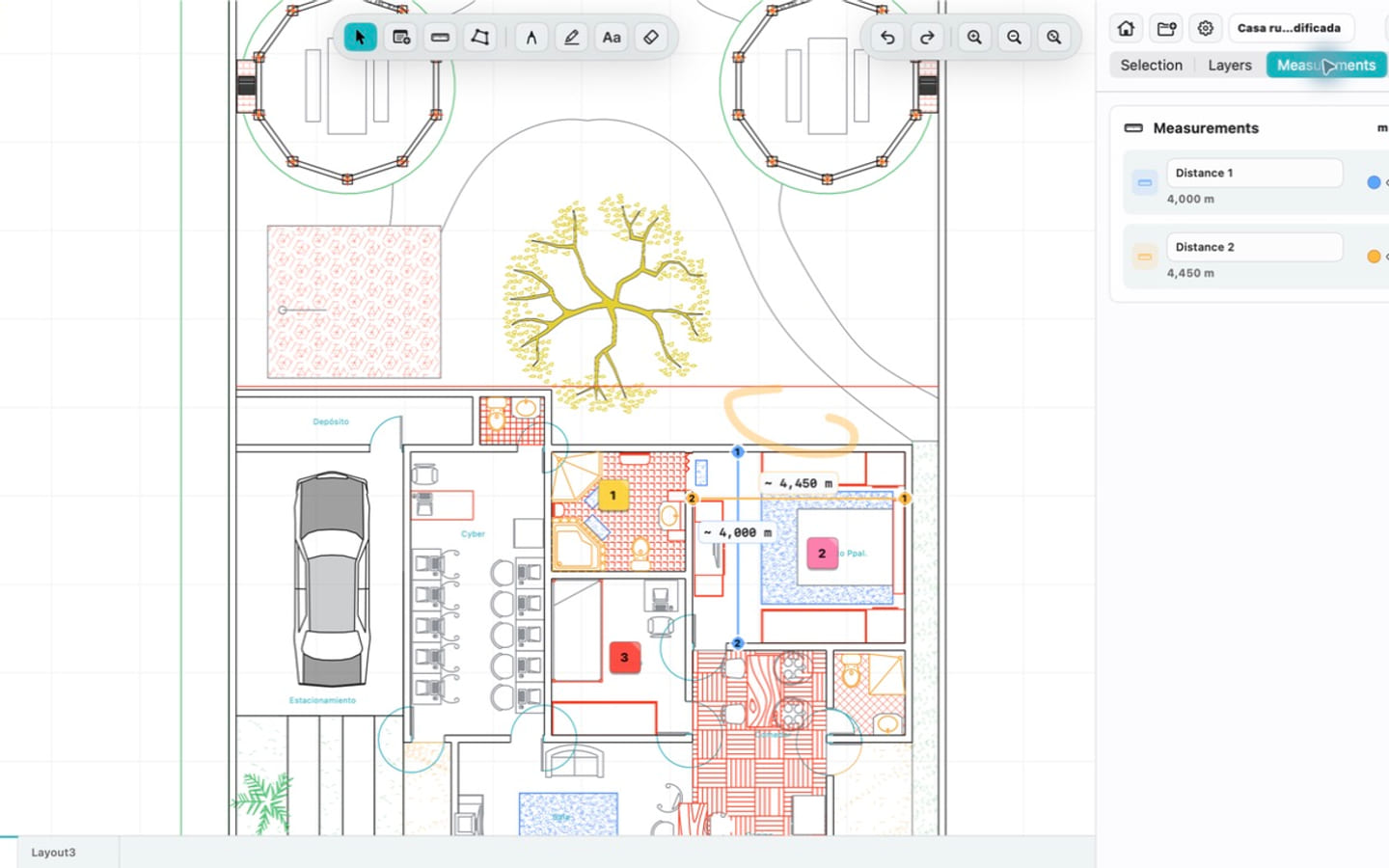
Measure with the drawing in context
Check distances and areas on DWG geometry or a calibrated PDF page, with snapping to supported geometry and editable measurement points.
- Distance and area measurements
- DWG units or calibrated PDF scale
- Per-document review state
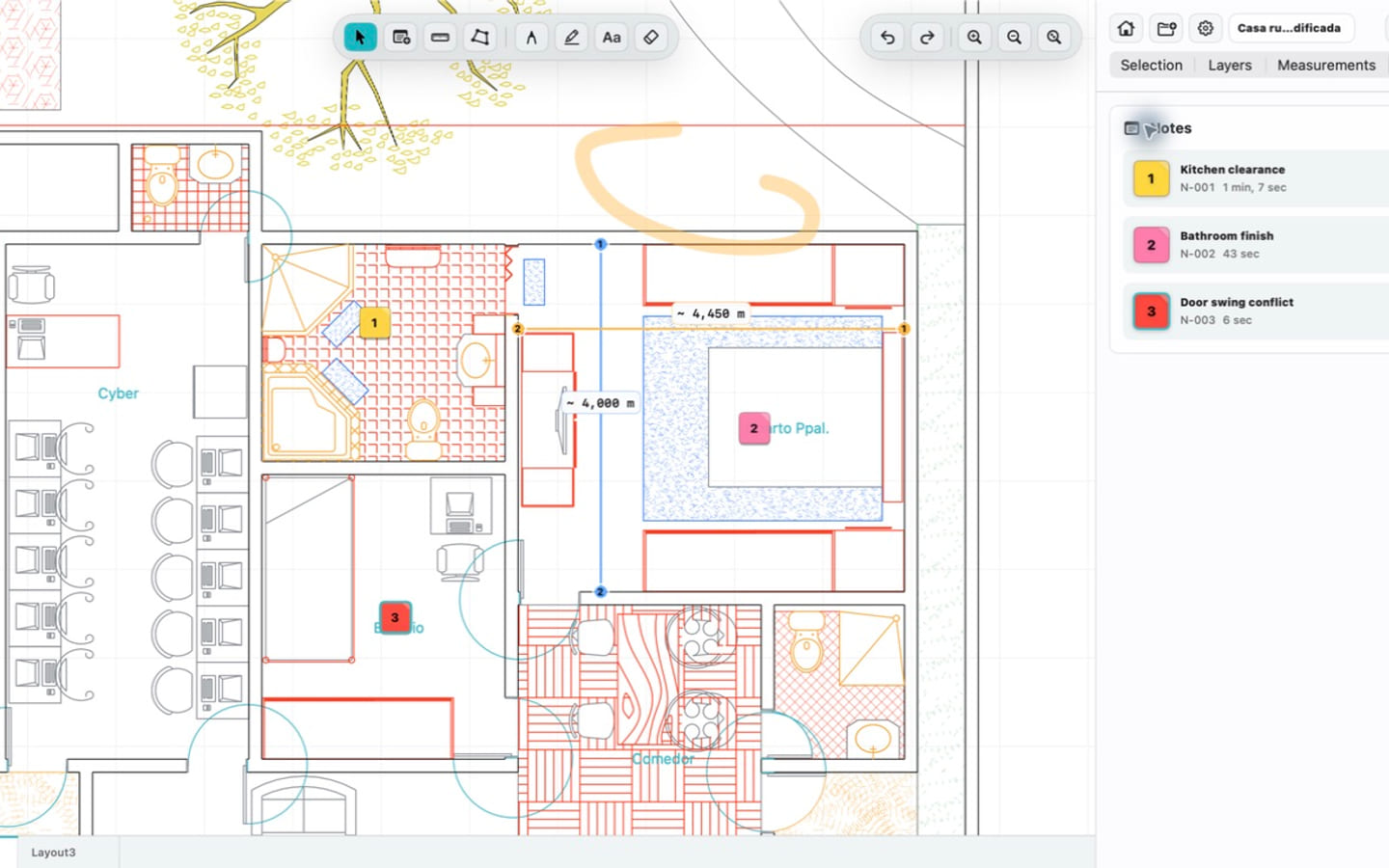
Keep notes and markups tied to the plan
Record issues where they appear with notes, photos, pen, highlighter, and text markups while preserving the original DWG or PDF.
- Color-coded notes with photos
- Pen, highlighter, text, and eraser
- Undo and redo for document edits
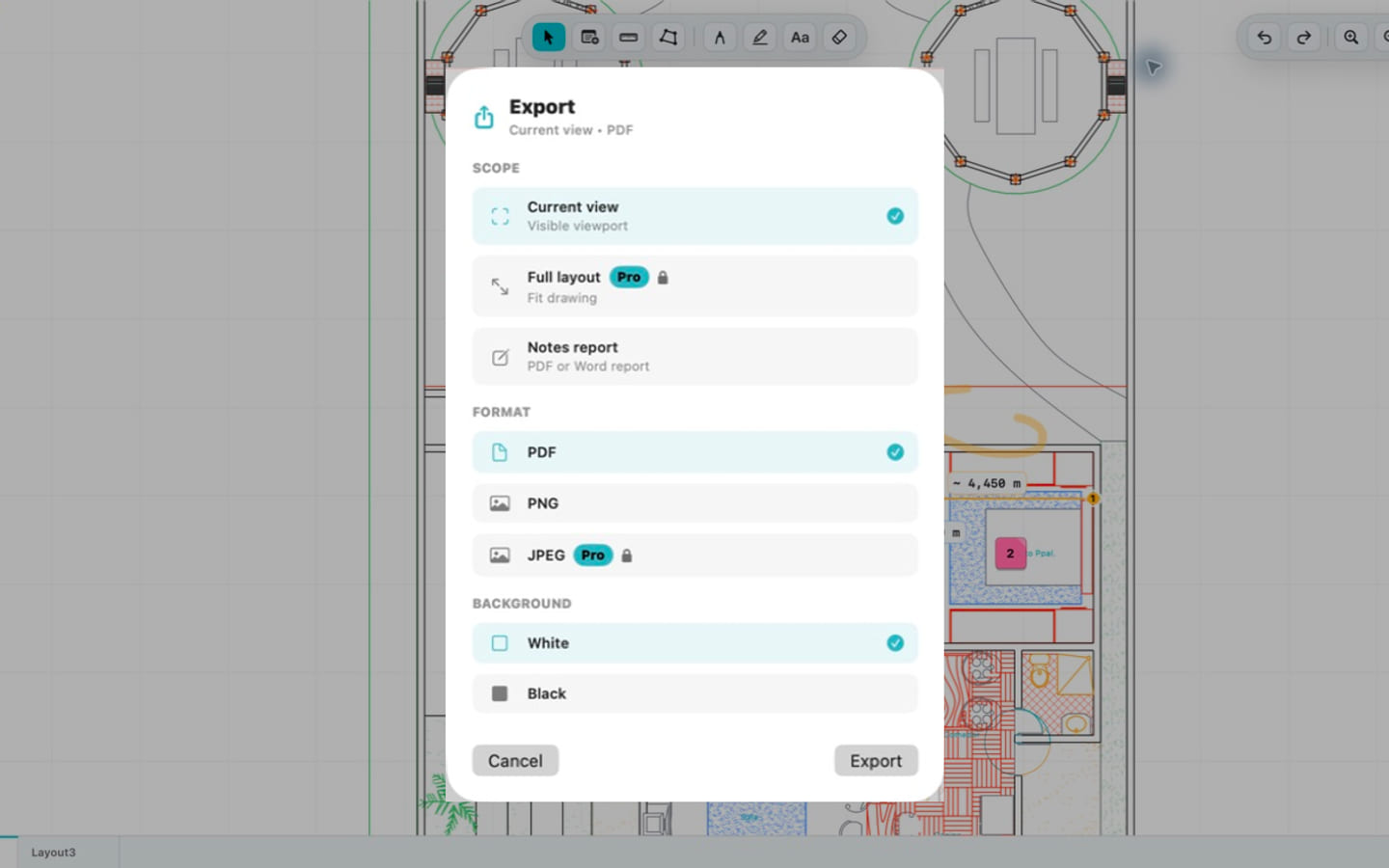
Export a result the team can use
Share the current view or a full layout as PDF or image, produce notes reports, or print through the native macOS panel.
- PDF, PNG, and JPEG drawing exports
- PDF and Word notes reports
- Native printing and share workflows
Your drawing stays on your Mac
PlanInspect reads local DWG and PDF files on-device. There is no required account, required upload, or external conversion service between you and the plan.
PlanInspect for Mac FAQ
Can PlanInspect measure multipage PDF plans on Mac?
Yes. Browse the PDF plan set page by page, calibrate a page from a known dimension or effective print scale, then measure and annotate it. Vector snapping is available when the PDF contains supported vector paths.
Can PlanInspect open DWG files without AutoCAD?
Yes. PlanInspect includes its own native Swift DWG parser and does not require AutoCAD or a separate conversion step.
Is DWG TrueView available for Mac?
Autodesk's desktop DWG TrueView is a Windows product. PlanInspect provides a focused native Mac workflow for local DWG review, measurements, notes, markups, and exports.
Does PlanInspect upload my drawing?
No required upload is part of the viewing workflow. The DWG stays local unless you deliberately export or share an output.
Can I use my PlanInspect Pro purchase on Mac?
PlanInspect Pro purchases are shared across supported Apple devices when you use the same Apple ID.
Open your next DWG or PDF plan on Mac
Download PlanInspect and test the complete review workflow on a real project plan.