
01
Navigate drawing space
Switch between model space and supported paper-space layouts instead of reviewing a flattened export.
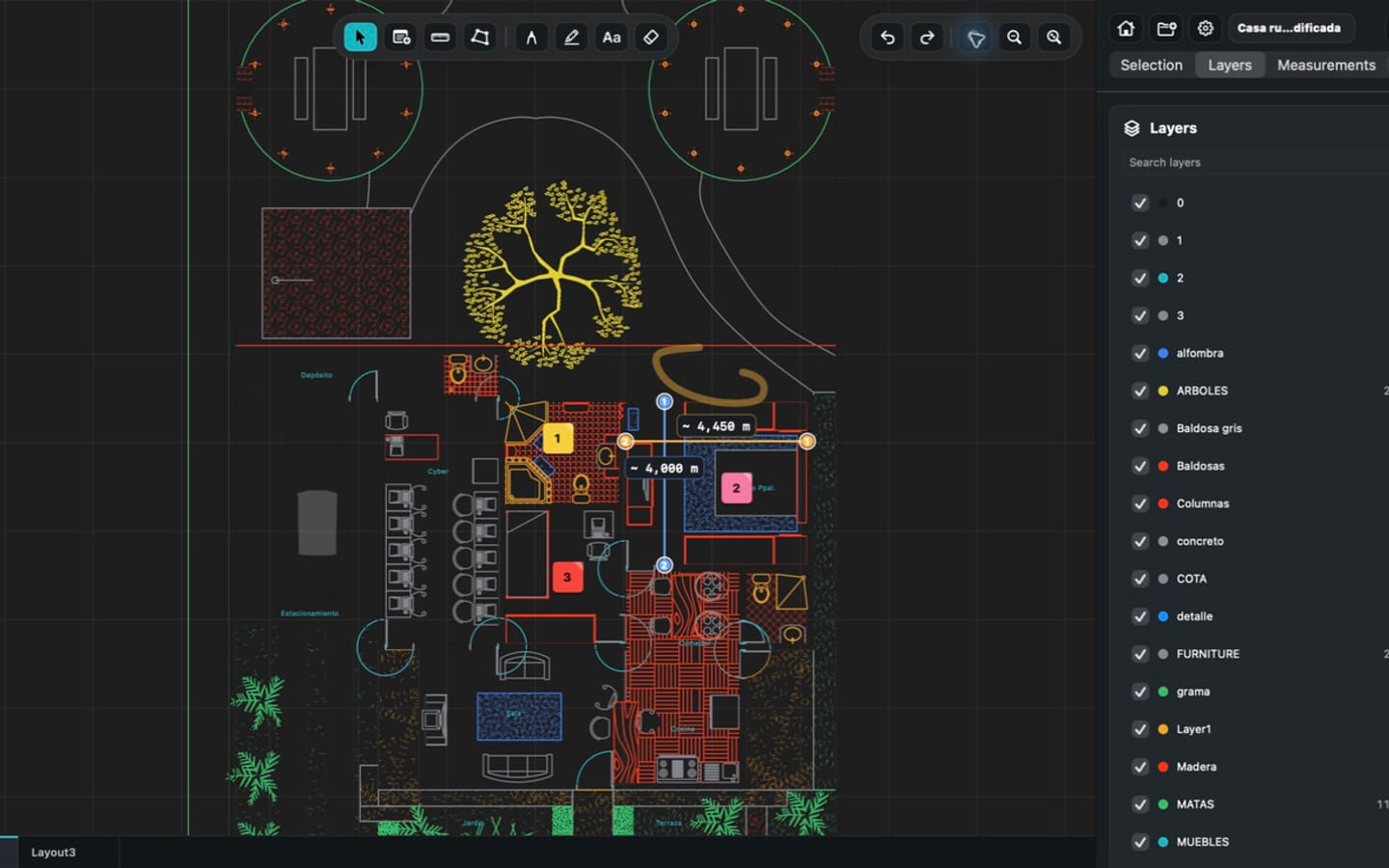
Open local DWG drawings without uploading them to a conversion service. Move from model space to layouts, isolate useful layers, inspect geometry, and leave the source drawing untouched while you review it.

Why it matters
A generic file preview can show that a drawing exists, but it cannot give a field reviewer the layout, layer, geometry, and measurement context that makes a CAD plan useful.
PlanInspect is built for the review job between passive viewing and full CAD authoring: open the drawing, find the right view, inspect what matters, record an observation, and send a clear handoff.
Capabilities
Switch between model space and supported paper-space layouts instead of reviewing a flattened export.
Show and hide supported DWG layers to reduce visual noise and focus on the relevant trade or detail.
Measurements, notes, and markups stay in the review workflow rather than editing source CAD geometry.
DWG and PDF
CAD / DWG
PlanInspect parses supported DWG drawings locally and preserves useful layout, layer, block, and geometry context for inspection.
PDF / PLANS
The same app also opens multipage PDF plan sets with page navigation, per-page calibration, measurements, notes, and markups.
Workflow
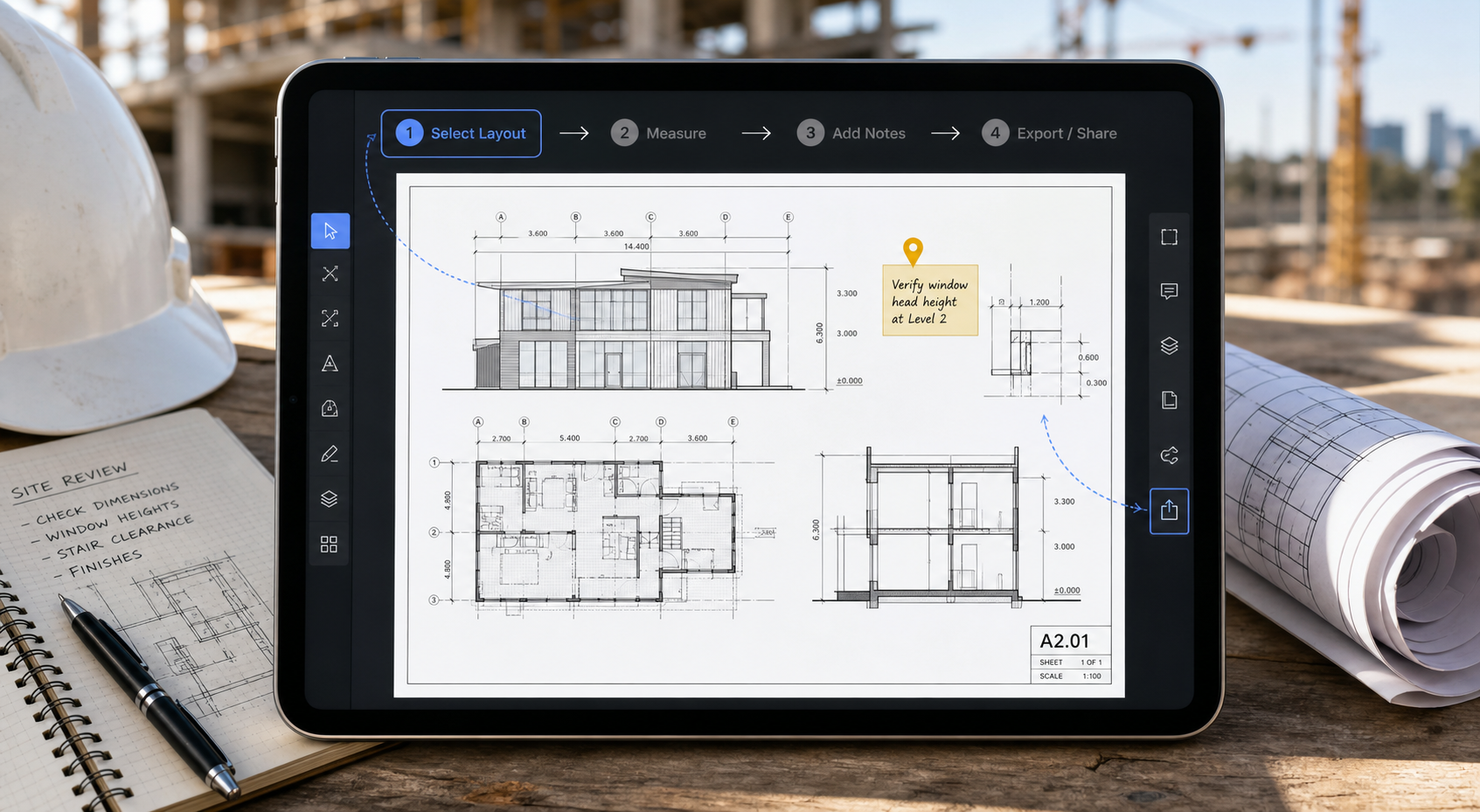
Import the local DWG through familiar Apple file workflows.
Move to the sheet or model view that contains the information you need.
Measure, isolate layers, add notes, and mark up the exact location.
Share a reviewed PDF, image, print, or report when the result is ready.
Product views

Verified boundaries
FAQ / DWG viewer
Yes. Supported DWG drawings are parsed locally on the device, so a cloud conversion is not required.
Yes. Supported DWG layers can be shown or hidden, and model space plus supported layouts are available for review.
No. PlanInspect focuses on review. Notes, measurements, and markups do not turn the app into a source-CAD editor.
Yes, once the file is available locally. Purchases, restoration, or optional external file services may still require a connection.
Practical guides
Try PlanInspect with a real drawing on iPhone, iPad, or Mac.